
A Guide to the Google Sheets API Key
Unlock real-time crypto data with a Google Sheets API key. Learn to create, secure, and use your key to transform Sheets into a dynamic analysis dashboard.
Ever feel like you're manually copy-pasting crypto data into a spreadsheet? What if you could turn that static sheet into a live, automated crypto research terminal? That’s exactly what a Google Sheets API key lets you do. At Wallet Finder.ai, it’s the essential bridge for pulling real-time, on-chain data directly into the familiar grid of Google Sheets.
Connecting Sheets to Live Crypto Data
Think of a Google Sheets API key as a unique password that lets other apps read data from your public spreadsheets without needing your Google login. It's the perfect starting point for automating data pulls before you dive into more complex authentication methods like OAuth.
For crypto traders, this is a massive time-saver. Forget about the tedious task of tracking token prices or wallet transactions by hand. You can set it all up to run automatically, creating powerful dashboards that keep you ahead of the market.
Why Sheets Dominates Data Analysis
Google Sheets has become a powerhouse for a reason. Its user base hit 1.1 billion worldwide in 2026, and it now integrates with over 120 external apps, making it a central hub for modern workflows. You can find more details on the impressive growth of Google Sheets and its impact on data analysis here.
For DeFi traders at Wallet Finder.ai, this means we can pipe on-chain data from Ethereum or Solana wallets directly into a spreadsheet. It’s how we track P&L, monitor smart money, and find our edge.
You can do the same by exporting datasets from tools like Wallet Finder.ai to build custom charts for analyzing your entry timing or position sizing. To really level up, check out our guide on using an API for crypto prices to supercharge your sheets.
The real advantage is turning raw on-chain events into actionable signals right inside your spreadsheet. Automated, real-time insights give you a significant edge in a fast-moving market.
With an API key, you're not just using a spreadsheet; you're building an automated crypto intelligence hub. Whether you're tracking the latest memecoin trends or mirroring the moves of top wallets, the Google Sheets API is a tool you can't afford to ignore.
Choosing the Right Authentication Method
Before you even think about generating a key, let's talk strategy. Picking the right authentication for your Google Sheets project is a crucial first step. Getting this wrong can lead to major security headaches or functional dead-ends.
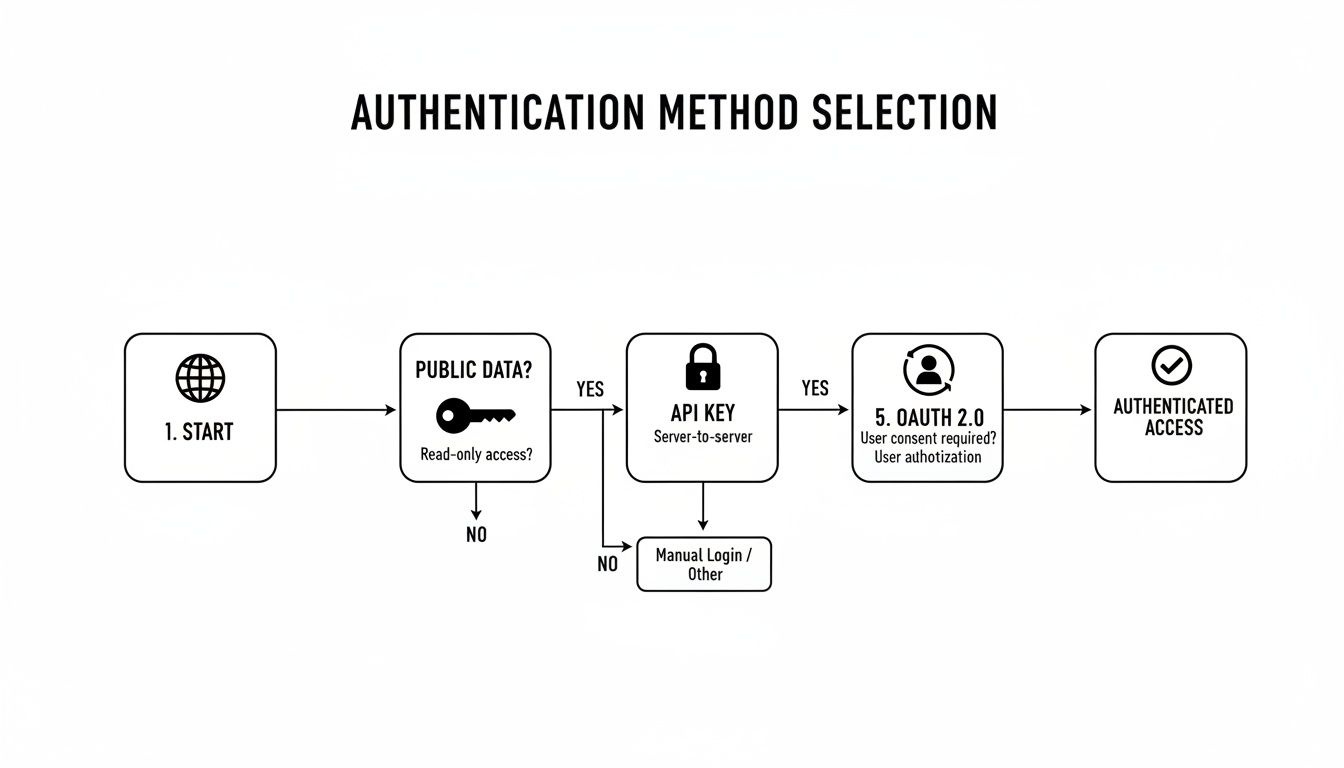
The choice boils down to one simple question: are you accessing public data, or do you need to access private, user-specific data?
- API Key: A simple access pass. Perfect for scripts that only need to read information from a publicly shared Google Sheet. It identifies your app to Google without needing a user to log in.
- OAuth 2.0: Like a valet key a user gives your app. It grants temporary, restricted access to their private data. This is mandatory if your app needs to read from or write to a specific user's private spreadsheets.
API Key vs. OAuth 2.0: Which Is Right for You?
Use this table to quickly decide which authentication method fits your crypto data project.
| Feature / Use Case | API Key (Read-Only, Public) | OAuth 2.0 (Read & Write, Private) |
|---|---|---|
| Access Type | Read-Only | Read & Write |
| Data Scope | Public Data Only | Public & Private User Data |
| Common Use | Pulling public data into a dashboard | Modifying a user's personal spreadsheet |
| Security Model | Identifies the requesting project | Authorizes the app on behalf of a user |
| Complexity | Simple (one key) | Complex (consent screen, tokens) |
| Example Project | A script that tracks public whale wallet movements from a shared Google Sheet. | An app that helps users manage and update their personal crypto portfolio Sheet. |
Start tracking smart money today
Join thousands of traders using WalletFinder.ai to find profitable wallets and copy their trades.
Start Free Trial →

