
Stop Loss Robinhood: Your Guide to Protecting Trades
Discover how stop loss robinhood orders protect profits and limit risk on Robinhood, with stop, stop-limit, and trailing stops.
A stop loss on Robinhood is an automated order to sell a stock if it drops to a specific price. It's a critical safety net that helps you limit potential losses without having to watch the market 24/7, especially when things get volatile.
This guide will break down exactly how to use stop, stop-limit, and trailing stop orders to trade with more confidence.
Protecting Your Trades on Robinhood
Navigating the markets, especially with the wild swings in meme stocks and options, can feel like a high-wire act. A stop loss isn't a complex tool for Wall Street pros; it's a practical way for every investor to manage risk. We'll cut through the jargon to give you a hands-on manual for trading smarter.
Getting a grip on these order types is one of the most important things you can do to protect your portfolio from a sudden market drop.
This decision tree helps visualize your goal, whether it’s protecting profits or limiting potential losses.
As the flowchart shows, your objective—locking in gains or preventing deeper losses—determines which protective order makes the most sense.
Why Risk Management Matters More Than Ever
The need for these tools became crystal clear when millions of new traders flooded the platform. In the third quarter of 2025 alone, Robinhood was handling a staggering 26.8 million funded accounts and pulled in $730 million from transactions—a 129% jump from the previous year.
With crypto trading exploding over 300% during that boom, it's no wonder stop-loss orders became a hot topic. As volatility spiked, so did the need for a plan B. You can dig into more of the numbers behind Robinhood's growth over at Finance Magnates.
A well-placed stop-loss order is the difference between a manageable loss and a catastrophic one. It takes emotion out of the equation, forcing you to stick to your risk management plan when the market turns against you.
Quick Guide to Robinhood's Protective Orders
To get started, it helps to have a quick overview of the main protective orders available on Robinhood. Each one serves a different purpose, from basic loss prevention to more dynamic ways of protecting your profits. The right one really depends on your strategy and how a particular stock is behaving.
Here’s a summary table to keep things straight.
Order TypeCore FunctionBest Use CaseStop OrderTriggers a market sell order once a stock hits your set price.Getting out of a falling stock quickly, even if the final sale price isn't exact.Stop-Limit OrderBecomes a limit sell order once a stock hits your stop price.Controlling the minimum price you're willing to accept, which helps avoid selling too low in a flash crash (slippage).Trailing StopFollows a rising stock price by a set dollar amount or percentage.Locking in profits as a stock climbs, giving it room to grow while protecting your gains.
Think of these as three different tools in your trading toolkit. You wouldn't use a hammer to turn a screw, and you wouldn't use a simple stop order when a trailing stop is what you really need to let your winners run.
How to Set a Standard Stop-Loss Order
The standard stop-loss order is your first line of defense in risk management. This is your most fundamental tool on Robinhood for getting out of a trade when the price turns against you.
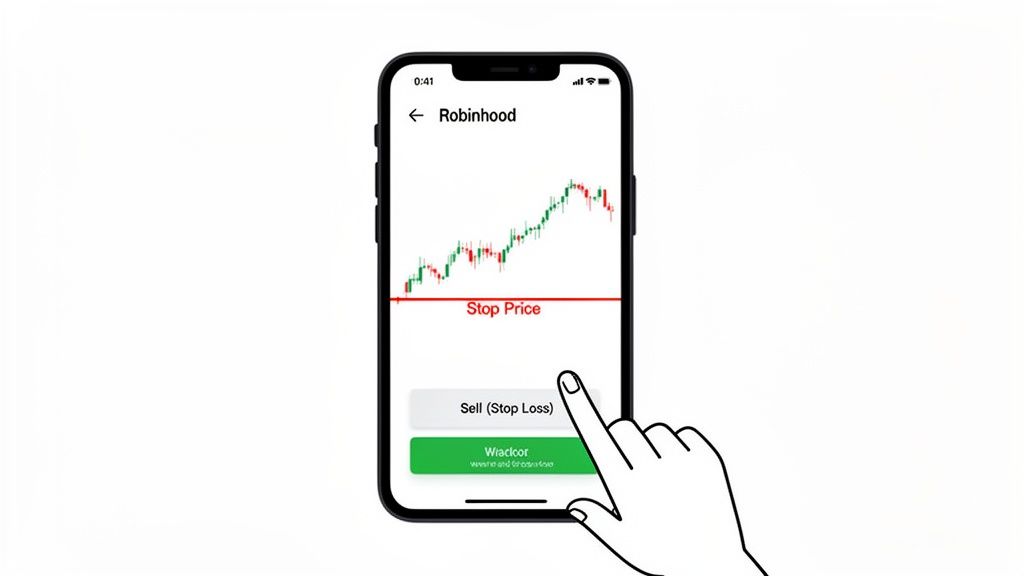
Think of it like an emergency exit. You buy a stock at $50, hoping it’ll climb to $60. But you’re only willing to lose $5 per share. In this case, you’d set a stop-loss order at $45. If the stock price falls and hits $45, Robinhood automatically triggers a market order to sell your shares.
The key word here is market order. Once your $45 stop price is hit, the order goes through at the next available price. In a fast-moving market, this might be slightly below your stop price—a phenomenon traders call slippage.
Placing the Order: Step-by-Step
Here’s exactly how to set a stop loss on Robinhood:
- Navigate to the stock's detail page.
- Tap the Trade button, then choose Sell.
- In the top right corner, tap the order type dropdown (it usually defaults to "Market Order").
- Select Stop Order from the list.
- Enter your Stop Price—the price that will trigger the sale.
- Input the number of shares you want to sell.
- Review the order details and swipe up to confirm.
The beauty of a standard stop-loss is its simplicity. It works best for highly liquid stocks—the big names with tons of daily buyers and sellers—where high volume typically means less slippage.
A stop order is an instruction to trade a stock at the next available market price once it has traded at or through your "stop price." It's not a guarantee you'll get that exact price, but it ensures your exit order is placed automatically.
Figuring out where to place your stop price is part art, part science. A common technique is to set it just below a recent support level. This technical analysis approach helps you avoid getting stopped out by normal price fluctuations while still protecting you from a real trend reversal.
Of course, deciding how much capital to risk is just as important. That's a whole topic on its own, which you can dive into with our guide on position sizing for high volatility trades. It’ll help you connect the dots between where you place your stop and how many shares you should be trading.
Using Stop-Limit Orders for Price Control
While a standard stop-loss offers a quick exit, its main weakness is slippage. If a stock's price suddenly nosedives, your market order could execute at a price way lower than your stop price. This is where the stop-limit order on Robinhood gives you an extra layer of control.
Start tracking smart money today
Join thousands of traders using WalletFinder.ai to find profitable wallets and copy their trades.
Start Free Trial →

