
Coinbase Transfer to Wallet: The Ultimate Guide
Learn to master your Coinbase transfer to wallet. Our guide covers security, network selection, minimizing fees, and DeFi strategies for self-custody.
Moving your crypto off Coinbase and into your own wallet is a game-changer. It's the moment you shift from simply owning an IOU for your assets on an exchange to taking full control yourself. This is what we call self-custody, and it’s your ticket to the real, on-chain world of crypto.
Why Bother Moving Crypto Out of Coinbase?
Look, Coinbase is a fantastic, secure place to get your feet wet and buy your first crypto. But at the end of the day, it operates a bit like a bank. They hold the crypto on your behalf, which is convenient, but it also means you're playing in their sandbox with their rules.
Pulling your assets into a personal wallet is the first real step toward true digital ownership. It’s all about control and direct access. When your crypto is in your own wallet, you are the only one who can sign off on a transaction. This drastically cuts down on counterparty risk—that nagging possibility that an exchange could freeze your account, suffer a hack, or even go bust.
The Real Power of Self-Custody
True ownership boils down to one thing: holding your private keys. Your wallet's private key is the master key to your funds. If you don't have it, you don't truly own your crypto. This idea is so fundamental that it's become a mantra in the space: "not your keys, not your crypto."
Taking on this responsibility is incredibly empowering. It insulates you from the meltdowns of centralized companies and throws open the doors to the entire crypto ecosystem. Your personal wallet is your passport to everything from decentralized finance (DeFi) and NFTs to thousands of dApps that you just can't access from your main Coinbase account.
The magic of crypto really happens when you step away from the centralized exchanges. A personal wallet isn't just a digital safe—it's your gateway to participating directly in the on-chain economy, whether that's earning yield in DeFi or scooping up the next hot digital collectible.
Unlocking a Bigger World
Most people make the jump from Coinbase to a wallet because they want to do more than just buy and hold. The rise of specialized wallets proves this point. Take Coinbase Wallet, for example—it now boasts 3.2 million monthly active users who are diving deep into on-chain activities. That group makes up about 37% of Coinbase's total transacting users, a clear signal that people are hungry for DeFi, NFTs, and swaps. You can find more data on this migration to on-chain activity over at sqmagazine.co.uk.
This kind of active participation means you need the right wallet for the job. Here’s a quick breakdown of your main options:
- Hardware Wallets: These are physical devices like a Ledger that keep your keys completely offline. They offer the best security you can get, perfect for stashing your long-term holdings.
- Software Wallets: These are desktop programs or browser extensions like MetaMask that strike a nice balance between security and convenience for everyday use.
- Mobile Wallets: Just like they sound—apps for your phone like Phantom. They're built for ease of use, making it simple to interact with dApps and send payments when you're on the move.
How to Transfer Crypto from Coinbase
Getting your crypto off Coinbase and into your own wallet is a fundamental skill every serious holder needs to master. Once you get the hang of it, a Coinbase transfer to wallet is pretty simple. The core process is nearly identical whether you're on your computer or your phone.
The whole point is to move your assets from Coinbase's control into a wallet where you—and only you—hold the keys. Let's break down exactly how to do it, starting with the single most important piece of the puzzle: your wallet's receiving address.
Finding and Securing Your Receiving Address
Before you even log into Coinbase, the first thing you need to do is grab the destination address from your personal wallet. This could be a hardware wallet, a browser extension, or a mobile app.
- Open your personal wallet application or device.
- Look for a button labeled "Receive," "Deposit," or "Add Funds."
- Click it to display your unique wallet address for a specific blockchain. It will be a long string of characters, often accompanied by a QR code.
Think of this address as your crypto bank account number. This is what you'll give Coinbase to direct the funds. For a deeper dive, our guide on how to find a crypto wallet address covers the process for all major wallet types.
This is non-negotiable: Never, ever type out a wallet address by hand. One slip of the finger and your crypto is gone forever. Always use the copy-paste function or scan the QR code.
The journey from an exchange to your self-custody wallet is what opens the door to the real power of crypto—like DeFi and NFTs.
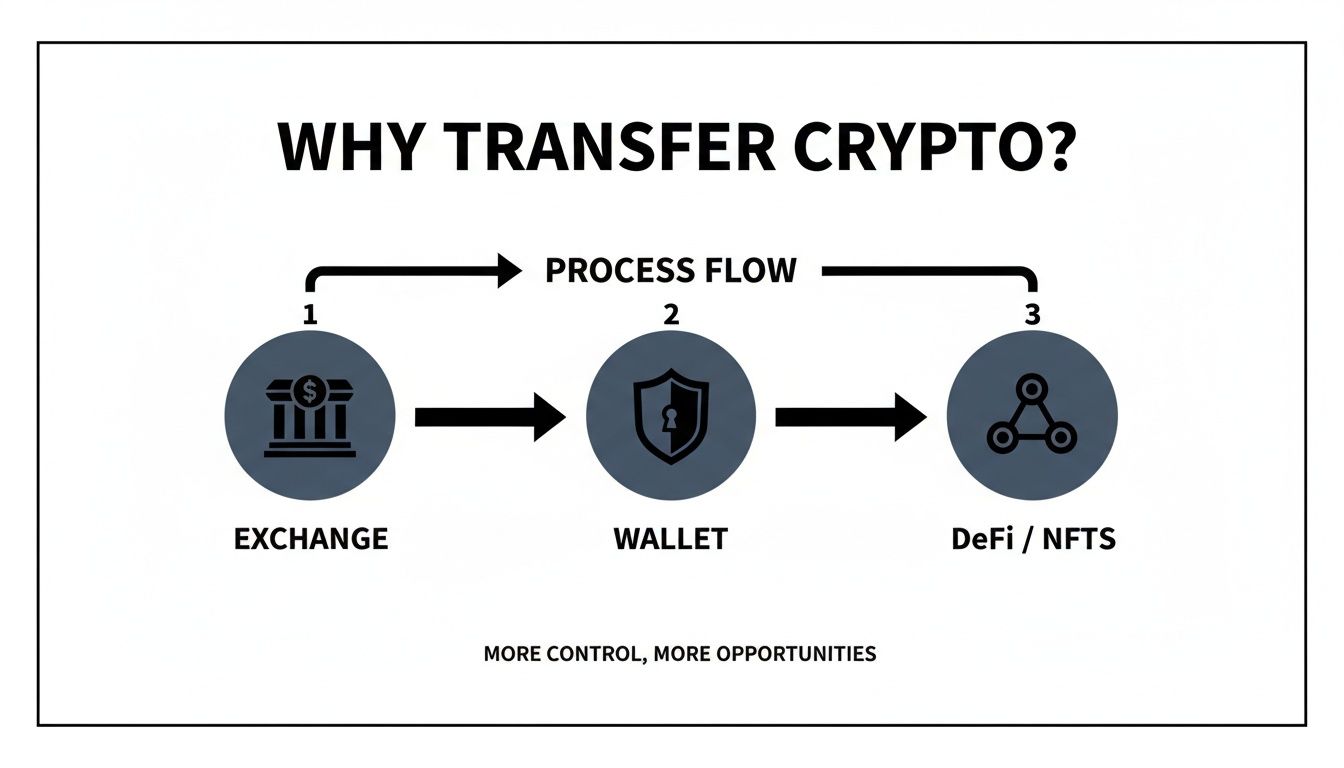
As the chart shows, this transfer is the bridge you have to cross to truly participate in the decentralized economy.
Pre-Transfer Safety Checklist
Before initiating any transfer, big or small, running through a quick safety check can save you from costly mistakes. This process should become second nature.
| Verification Step | Action to Take | Why This Is Critical |
|---|---|---|
| Asset Match | Confirm you are sending the exact crypto you intend to (e.g., ETH, not WETH). | Sending the wrong asset to an address can result in permanent loss. |
| Address Verification | Compare the first 5 and last 5 characters of the pasted address with the one in your wallet. | This is your best defense against clipboard-hijacking malware that secretly swaps addresses. |
| Network Congruence | Ensure the network selected on Coinbase (e.g., Ethereum, Polygon) matches your wallet's network. | A network mismatch is one of the most common ways funds get lost. |
| Test Transaction | For large amounts, send a small, "test" transaction first to confirm it arrives safely. | The small network fee is cheap insurance against a catastrophic error on the main transfer. |
Start tracking smart money today
Join thousands of traders using WalletFinder.ai to find profitable wallets and copy their trades.
Start Free Trial →

