
Fix Coinbase Identity Verification Not Working
Is your Coinbase identity verification not working? Get real, actionable solutions to fix document, photo, and app errors so you can get verified fast.
When your Coinbase identity verification isn't working, it’s usually due to blurry ID photos, mismatched personal details, or a simple app glitch.
The fastest fix: Retake your photos in a well-lit room and ensure the name and address on your profile exactly match your government-issued ID.
Why Your Coinbase Verification Fails and How to Fix It
Hitting a verification wall on Coinbase is more than just an annoyance—it's a roadblock that can lock you out of trading when you see an opportunity. This isn't a random bug. It's a signal that there’s a disconnect between the information you’ve submitted and what Coinbase's automated system needs to give you the green light.
For any active trader, this delay means potentially missing a profitable move. This process is a crucial security layer designed to meet strict Know Your Customer (KYC) regulations, which protect both you and the platform from fraud. However, the system is rigid, and even a tiny error can cause it to fail.
To help you troubleshoot, here’s a breakdown of the most common issues and their immediate, actionable solutions.
Common Failure Points
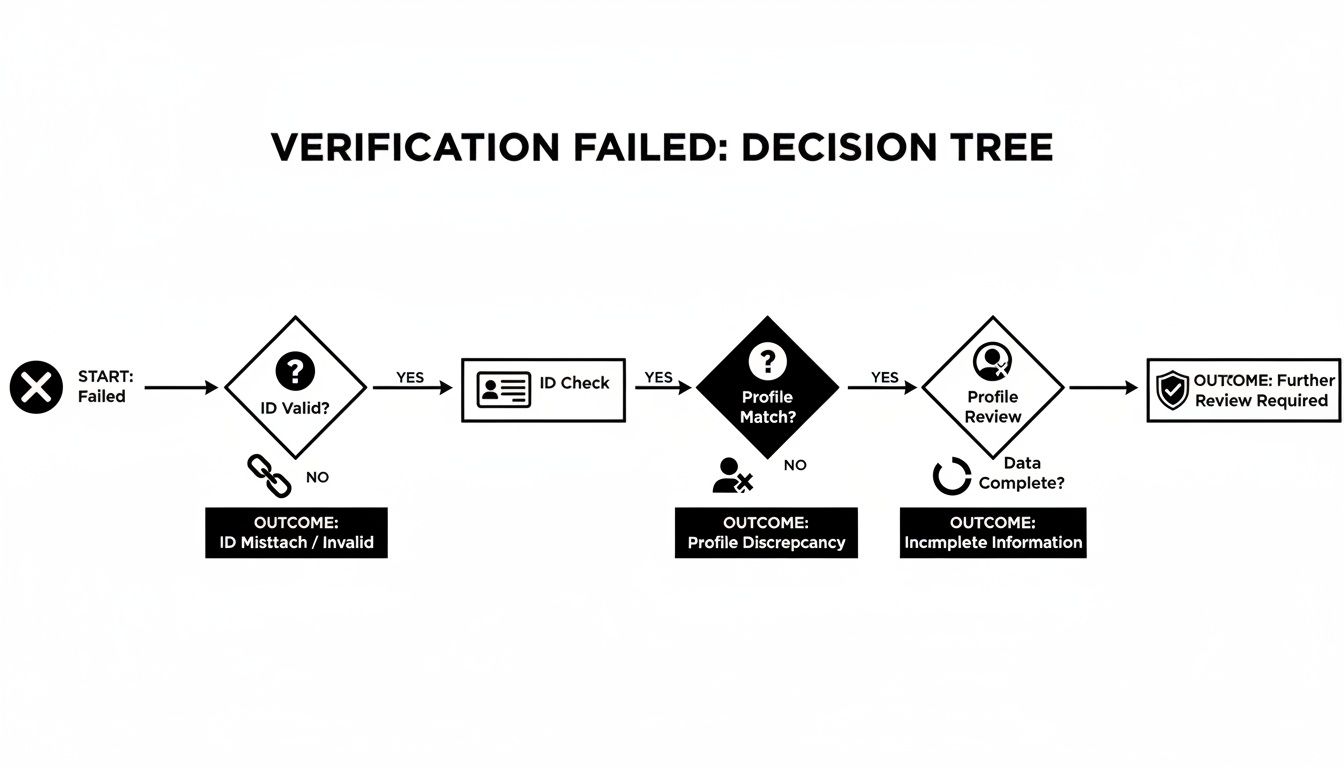
The verification system is laser-focused on your identity document and profile data. If they don't align perfectly, you'll get an instant rejection.
Here are the usual suspects:
- Bad Photos: This is the #1 reason for failure. Glare from a lamp, a thumb covering a corner, or a slightly out-of-focus image will get your submission kicked back. The automated system needs to read every single character.
- Mismatched Info: A classic mistake. You signed up as "Jim," but your driver's license says "James." Or you moved and forgot to update your address. It must be an exact match.
- Wrong or Expired Documents: Using an ID that expired last month or a document type not supported in your country is an automatic rejection.
This decision tree gives you a visual of how the system processes your information and where things often go wrong.
Start tracking smart money today
Join thousands of traders using WalletFinder.ai to find profitable wallets and copy their trades.
Start Free Trial →

