
Master the scanner api in java: A 2026 Guide
Scanner api in java - Learn how to effectively use the scanner api in java for robust input processing in 2026. This ultimate guide covers everything from basic
When you need to read text in Java—whether it’s from the console, a file, or a string—the Scanner class is often the first tool developers reach for. It's a go-to for a reason.
Part of the java.util package, Scanner acts as a simple text parser that can break down input into primitive types (like integers and doubles) and strings. It's incredibly handy for processing user input, reading configuration files, or handling in-memory data without a lot of fuss.
Understanding the Java Scanner API
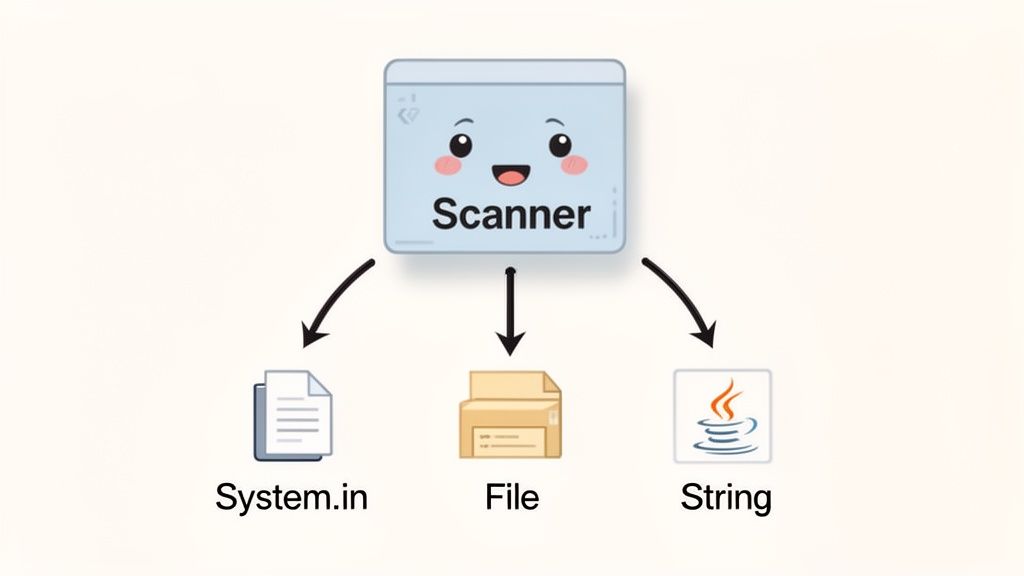
At its core, Scanner works by breaking down its input into individual tokens. Think of tokens as the chunks of data separated by a delimiter. By default, that delimiter is just whitespace, but you can customize it with regular expressions. This lets you process structured text without having to manually manage byte streams or character arrays.
Introduced way back in Java 5.0 (September 2004), the Scanner class was a huge step up from the older StringTokenizer. It provided a much more powerful way to parse complex strings using regex. Early benchmarks from Oracle in 2010 even showed it could deliver up to 40% faster parsing speeds on certain tasks compared to legacy methods. If you're curious about how it stacks up today, you can check out current developer trends in the Azul 2026 State of Java Survey Report.
Why Use the Scanner API?
The scanner api in java remains a developer favorite due to its simplicity and flexibility, especially when raw performance isn't the top priority.
- Actionable Tip: Use
Scannerfor interactive command-line tools, small configuration files, and quick data parsing tasks. - Intuitive Methods: Easily grab specific data types with methods like
nextInt(),nextDouble(), andnextLine()without writing boilerplate parsing code. - Console input (
System.in) Fileobjects- Plain
Stringdata
Of course, Scanner isn’t a silver bullet. For high-performance applications that read massive files, its convenience comes with some overhead. In those scenarios, a BufferedReader is often the better tool for the job.
Java Input Methods Quick Comparison
To help you choose the right tool, here's a quick look at how Scanner and BufferedReader compare.
| Feature | Scanner | BufferedReader |
|---|---|---|
| Ease of Use | High (direct methods for types) | Moderate (requires manual parsing) |
| Performance | Good (but has overhead) | Excellent (faster for large files) |
| Flexibility | High (custom delimiters, locale-aware) | Low (reads lines or characters) |
| Best For | User input, small files, mixed data types | Large files, fixed-format data, raw speed |
Start tracking smart money today
Join thousands of traders using WalletFinder.ai to find profitable wallets and copy their trades.
Start Free Trial →

